
More than 200 signals factor into where Google places your page, and these days, plenty of searches skip Google’s results page entirely, landing instead in ChatGPT, Perplexity, or Gemini. In the SERP, AI overview is preferred over traditional search.
This article tries to cover both traditional SERP and AI SEO. It’s 160 numbered steps contain setup, keyword research, on-page and technical fixes, content, mobile experience, links, local and ecommerce SEO, AI visibility, and tracking. Each one is something you can act on this week rather than a principle to file away.
Nobody needs all 160 done before results show up. Pick the section that fits where your site stands today; a 30/60/90-day plan toward the end maps out a sensible order if you’re not sure.
Key Takeaways
Starting from zero, resist the urge to tackle all 160 items in a week. The 30/60/90-day plan below is a better path in, starting with foundations and technical fixes, since those tend to produce the fastest, most visible gains.
On a site that’s already mature, the highest-value sections are probably content refreshes, link building, and the newer AI SEO checklist. These are the areas competitors are least likely to have fully covered yet.
How to Use This SEO Checklist
Results don’t require finishing the whole list. Pick your starting point based on where things stand today:
- New site, nothing built yet: begin with foundations, then keyword research, then on-page SEO.
- Something’s technically broken or slow: the Technical SEO section comes first.
- Traffic’s decent but conversions lag: look at Content Strategy and Mobile & UX.
- Site is mature, but growth has leveled off: The majority of the competitors haven’t even glanced at the link building and AI SEO sections.
- Not sure where to start: The default sequence is given in the 30/60/90-Day Action Plan below.
SEO Foundations & Setup Checklist
Measurement comes before optimization. Before editing a single page, get these tracking tools running. A day or two of setup that everything else on this list quietly depends on.
1. Choose an SEO-friendly domain and CMS setup
Starting from scratch? Choose a clean domain name and a CMS you can control title tags, meta descriptions, and URLs directly. It’s much slower to add control after the fact than to build it in from the start.
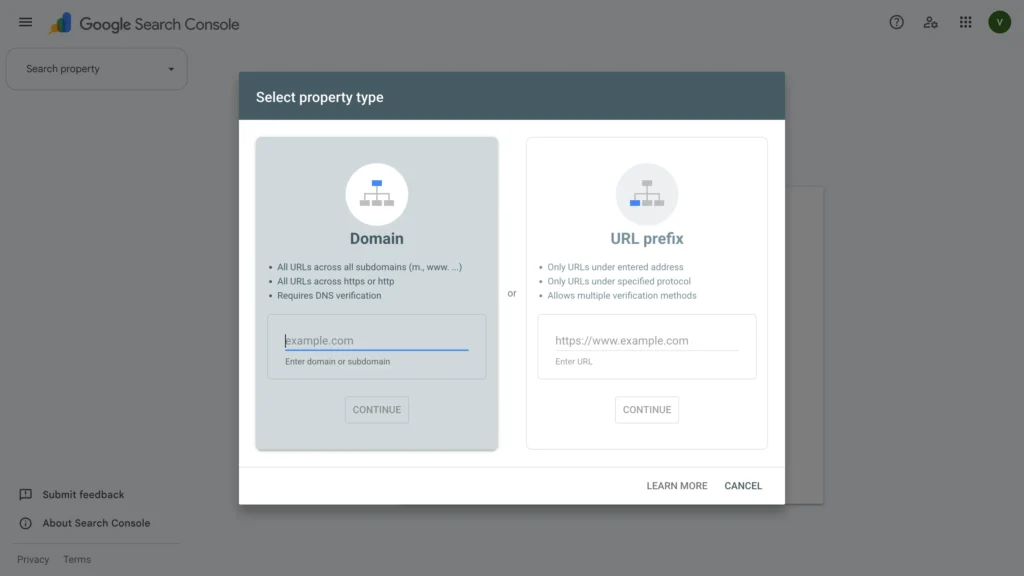
2. Set up Google Search Console
Verify your domain in Google Search Console. It’s a free tool and shows you which queries actually bring traffic, which pages Google has indexed, or which technical errors are holding your rankings back.
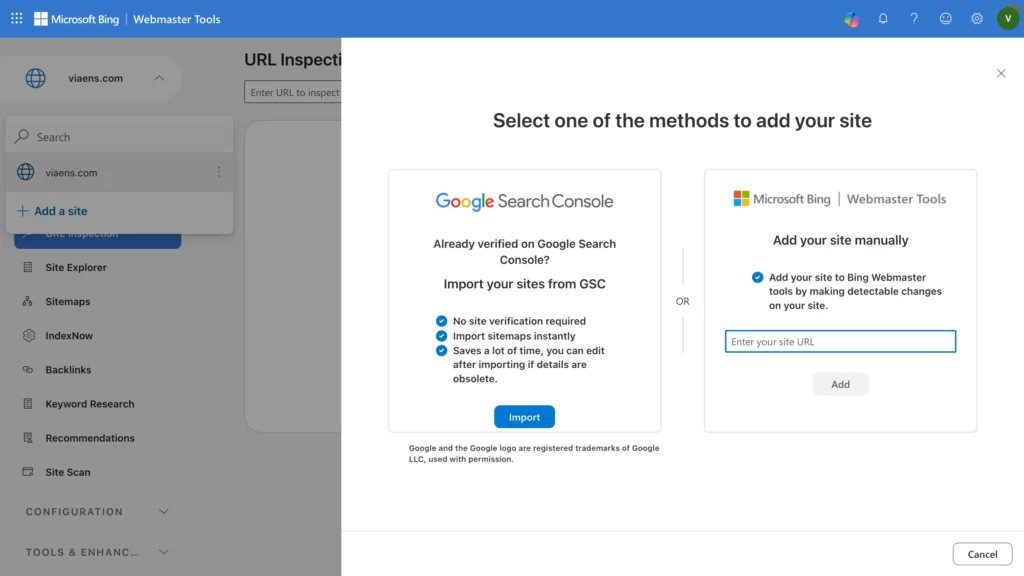
3. Set up Bing Webmaster Tools
Bing quietly handles over a billion searches daily and feeds some of ChatGPT’s web results too. A ten-minute verification gets you a second, independent view of indexing and crawl issues.
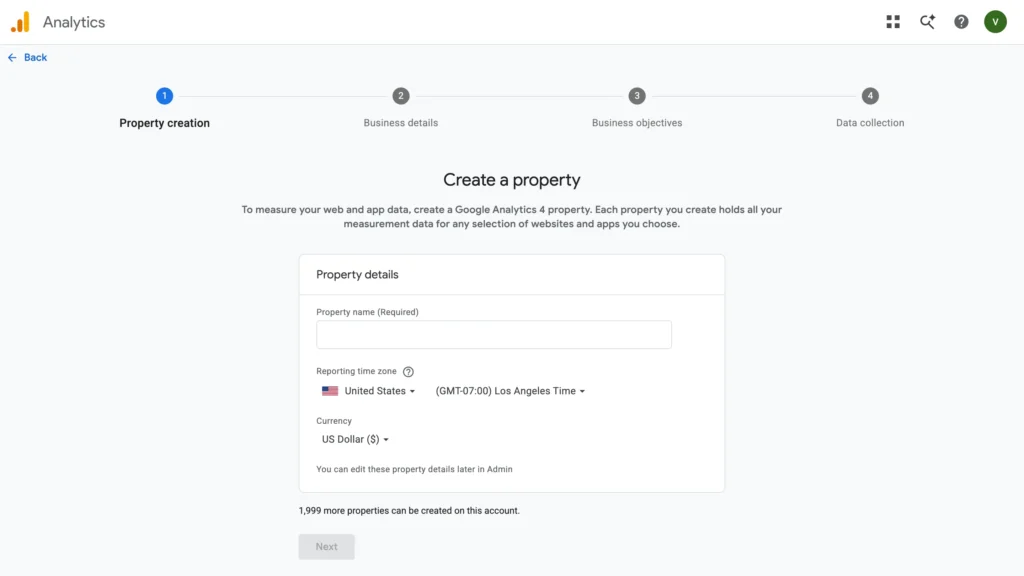
4. Install Google Analytics 4 (GA4)
GA4 shows you where the visitors are coming from, which pages they land on, and how long they stay. Implement basic event tracking. Form fills, purchases, sign-ups, so raw traffic numbers are tied to something that actually matters to the business.
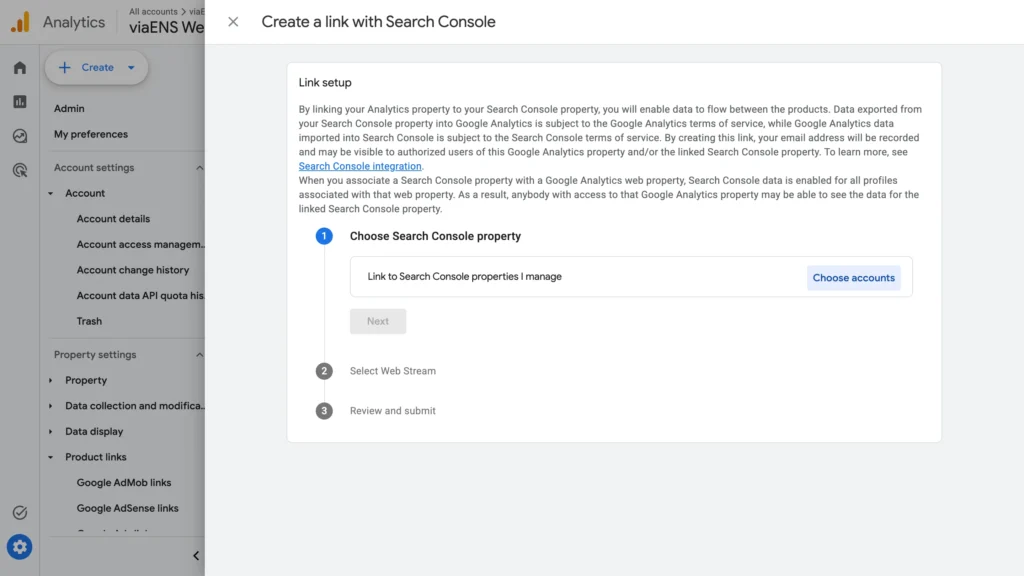
5. Connect GA4 with Search Console
A quick link in GA4’s admin settings pulls query-level search data straight into your traffic report. No more switching tools just to see which keywords are driving sessions.
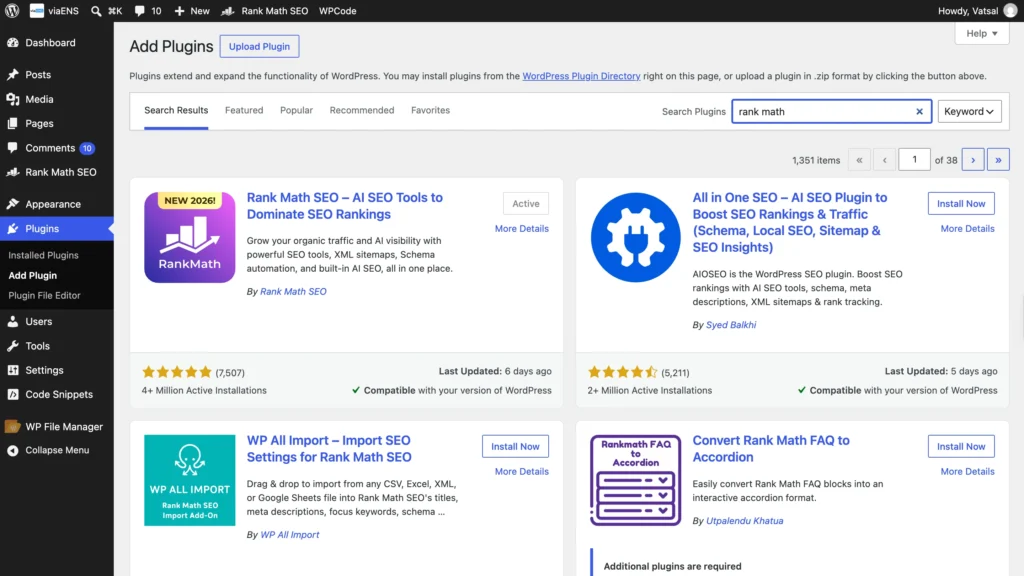
6. Install an SEO plugin (Yoast/Rank Math) on WordPress or Shopify
Meta tags, sitemaps, and robots.txt can be managed by a plugin on CMS without you having to write a line of code. Yoast and Rank Math do the job and are free. Install one and go through the setup wizard.
7. Map out your site structure and page hierarchy
Sketch out what pages exist, which ones matter most, and how they link together. A clean hierarchy with homepage down to category down to individual page makes navigation easier for visitors and crawlers alike.
8. Define your primary SEO KPIs
Choose one or two metrics that genuinely reflect success for your site. It can be organic traffic, rankings, or search-driven conversions. Start tracking them now. Without a baseline, there’s no way to know later whether any of this worked.
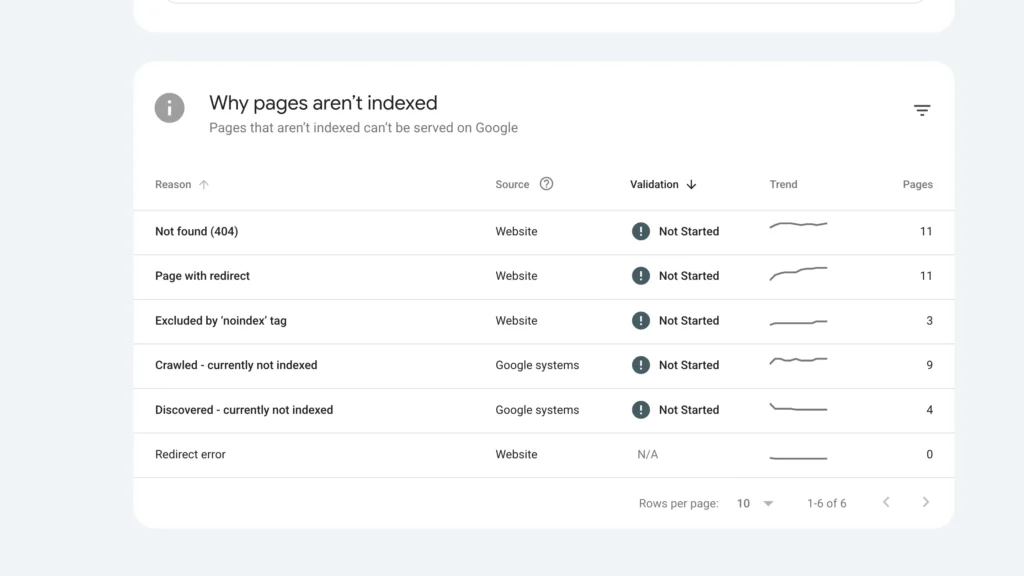
9. Establish crawl and index baselines in GSC
Note how many pages are indexed, how many are excluded and why before making any changes. That snapshot will be the baseline you compare against when those technical fixes come into play.
10. Run a baseline competitor SEO analysis
Pick two or three genuine competitors and look at which keywords they rank for that you don’t, plus which of their pages pull the most traffic. Keep that list because it becomes the starting point for keyword research later.
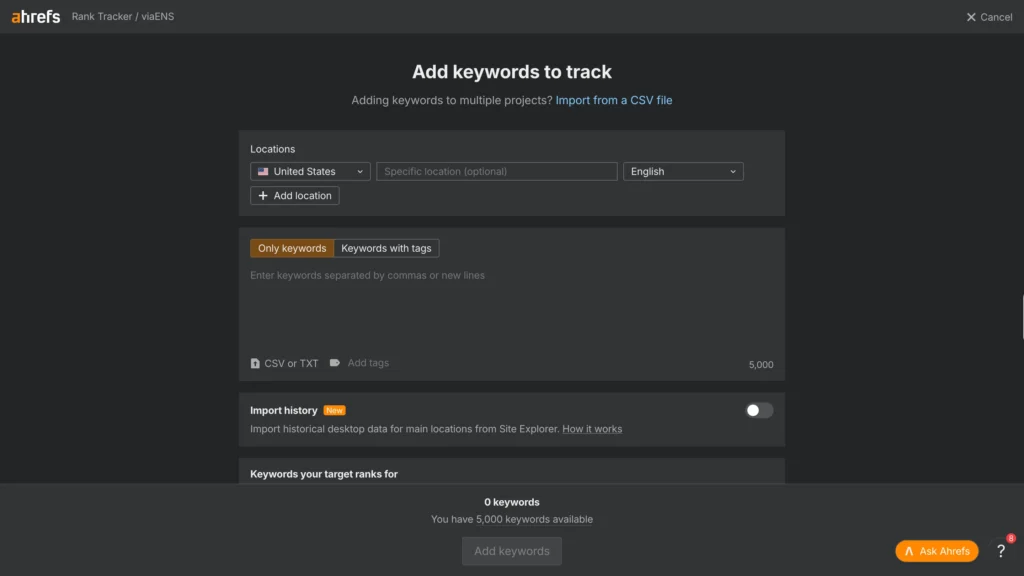
11. Set up rank tracking for target keywords
Add your 5-10 most important keywords to a rank tracker. Weekly position changes are the clearest early signal of whether everything else in this checklist is actually working.
12. Build a content/editorial calendar
A basic spreadsheet with target keyword, publish date, owner, etc is enough to keep content production consistent. Sporadic, unplanned publishing is one of the most common reasons sites stall out after an early traffic bump.
Keyword Research Checklist
Get this section wrong, and nothing downstream fully recovers. Flawless on-page SEO built around the wrong keywords still won’t bring in the traffic you’re actually after.
13. Define your target audience and their search intent
Write down who your ideal customer is, what problem they are trying to solve that got them to search and what words they would use to describe it. Everything else in keyword research builds on this.
14. Brainstorm seed keywords for your niche
Start with 10-20 broad terms describing what you sell or cover. Your own working knowledge of the space is enough to get started. You can also use free keyword tools or Google’s search suggestions to expand the list later, so there is no need to purchase a paid tool at this stage. These seeds feed everything else in this section.
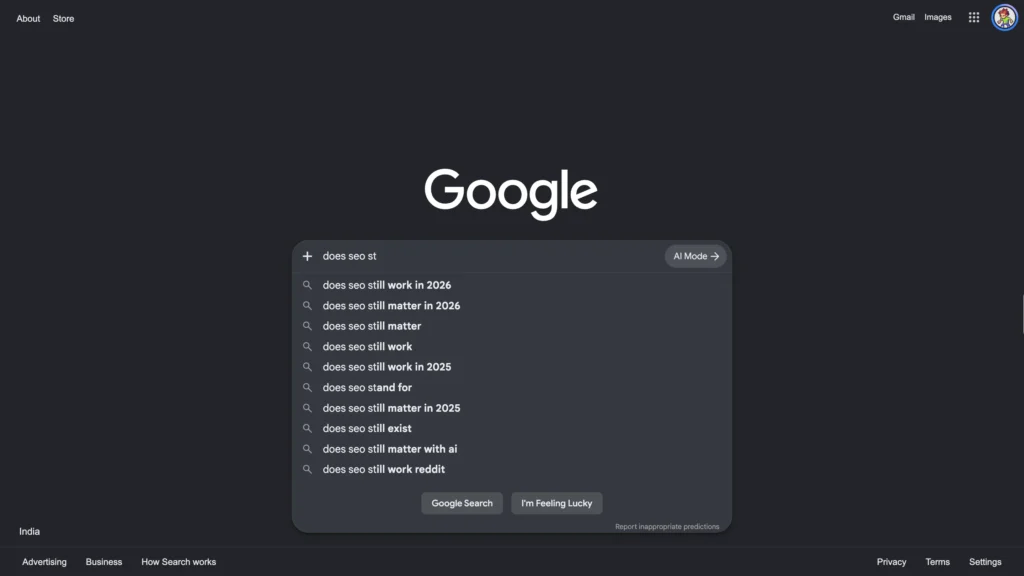
15. Expand seed terms with Google Suggest/autocomplete
Type a seed term into Google’s search bar and stop before hitting enter. What autocomplete shows you are real queries, sourced from Google’s own data: a free, fast way to find long-tail phrasing.
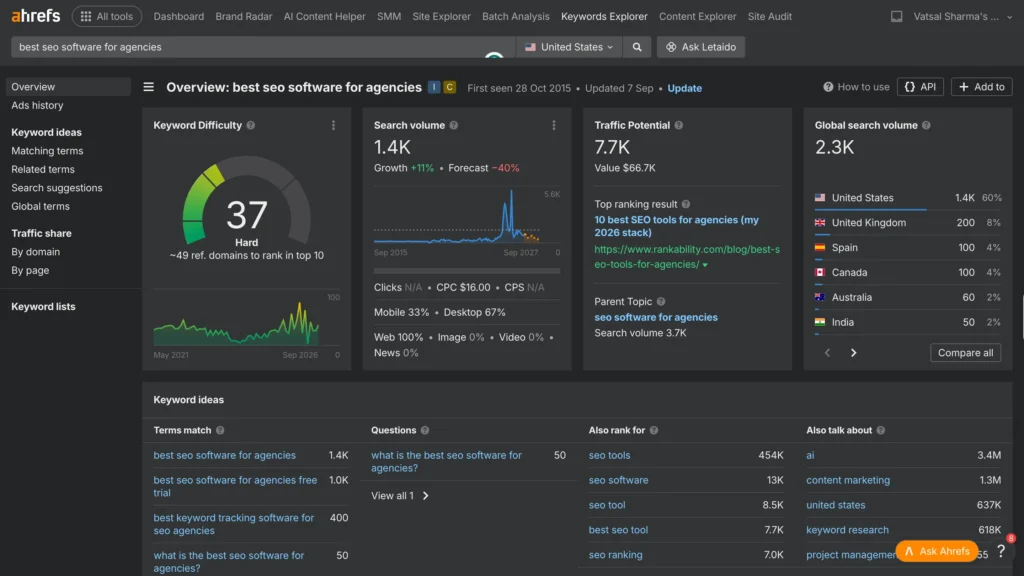
16. Use a keyword tool to pull volume, intent & difficulty
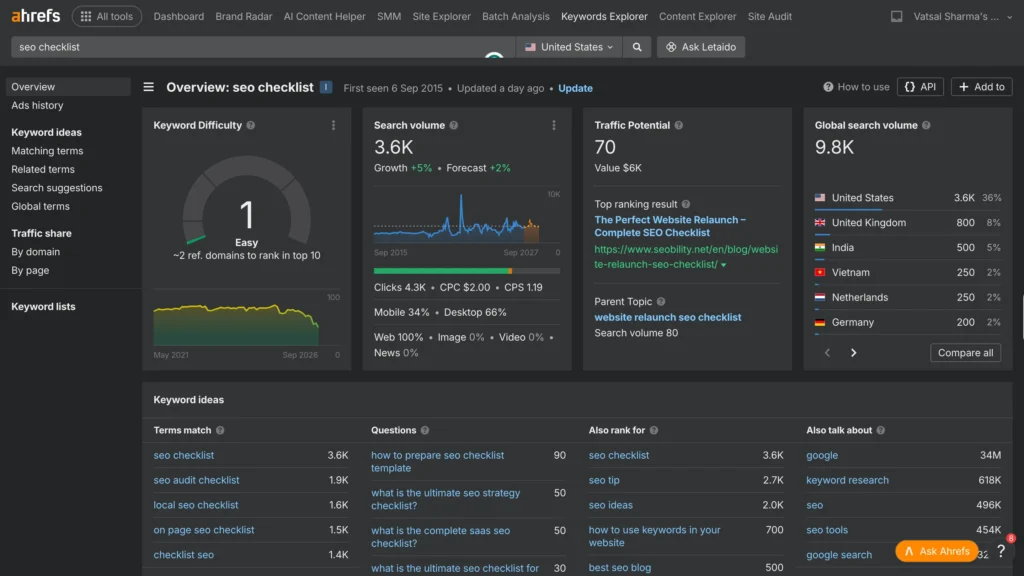
Feed your seed and suggested terms into a keyword tool like Semrush, Ahrefs, or a free alternative to check search volume, intent, and roughly how competitive each one is.
17. Mine Reddit, Quora & forums for real customer language
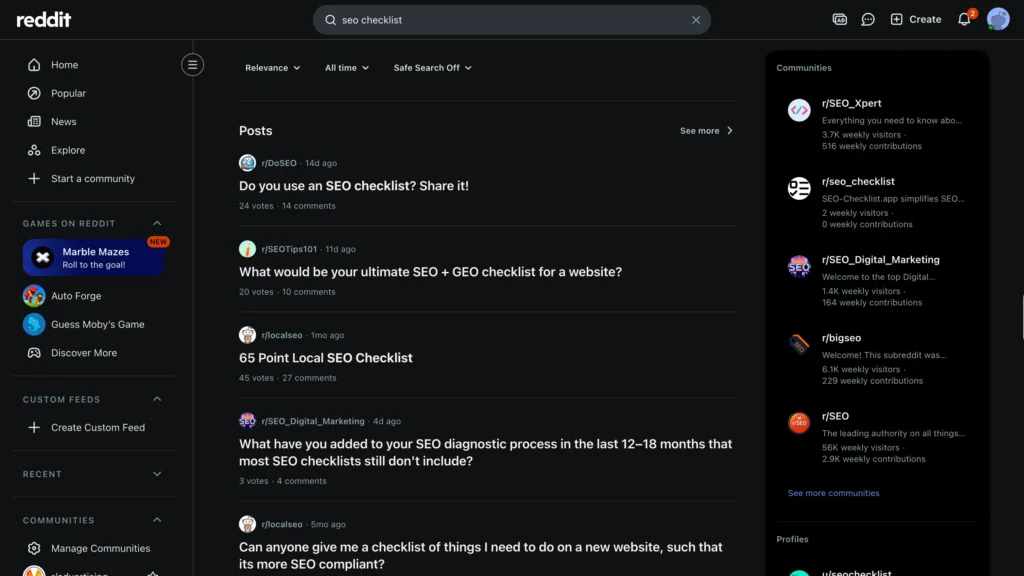
Try a search like “site:reddit.com [your topic]” paired with a quoted phrase such as “how to.” Trusted people describe their problems in their own words here; a keyword tool often misses the phrasing entirely.
18. Identify question keywords (“how,” “what,” “why”)
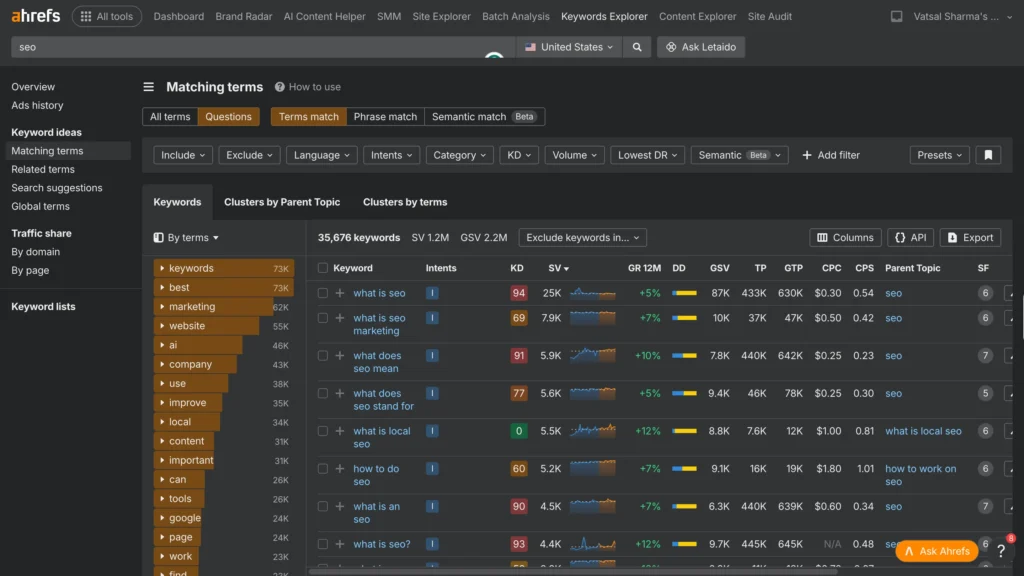
Questions make natural blog topics and frequently win featured snippets. Tools like Ahrefs, AnswerThePublic and Google’s own “People also ask” box both surface these directly, with no guesswork involved.
19. Classify keywords by search intent
Sort every keyword by intent: informational, navigational, commercial, transactional. Mismatch the two, like a blog post chasing a “buy now” keyword, and the page rarely ranks well or converts even if it does.
20. Find low-competition, high-opportunity long-tail keywords
Longer, more specific phrases with three words or more are usually easier to rank for and tend to convert better too.”SEO agency” is a bloodbath. Every established firm in the country is fighting for it. “SEO agency for personal injury law firms” is actually winnable, and whoever’s searching it is a lot closer to signing a contract than someone typing “SEO agency.”
21. Analyze competitor keyword gaps
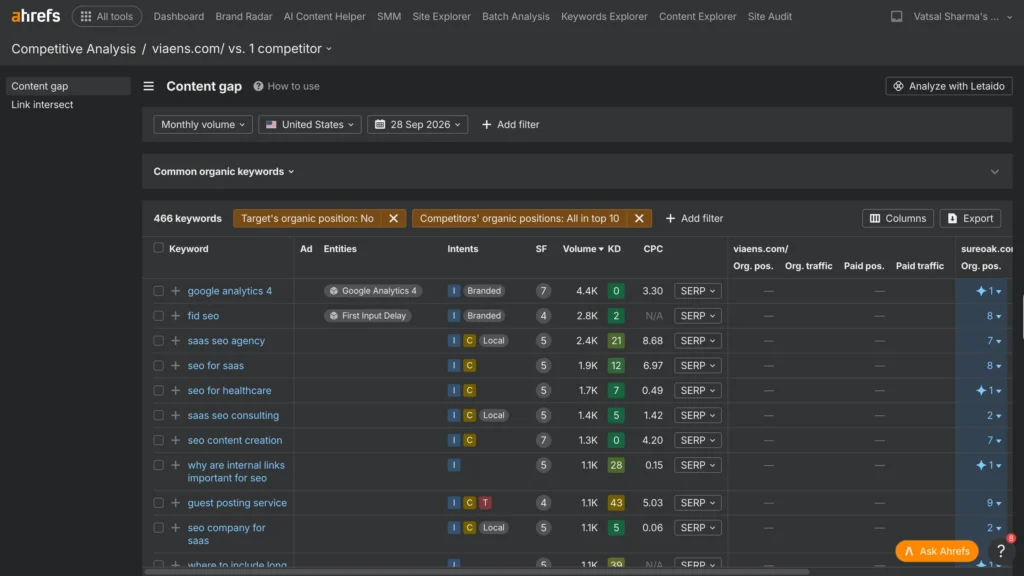
Discover what keywords your competitors are ranking for that you’re not. “Those gaps are often the fastest way to get new traffic because the demand is already proven to be there.
22. Cluster related keywords into topics
Cluster keywords that are realistically answerable on a single page, rather than each being a target in and of itself. Otherwise, you end up publishing five thin pages when one strong one would do better.
23. Assign one primary keyword per page
One page, one primary keyword. Trying to target five unrelated “primary” terms on the same page dilutes relevance and leaves both search engines and readers unsure what the page is even for.
24. Assign 2-4 secondary keywords per page
Pair the primary keyword with a small set of closely related terms the page could reasonably also rank for. Weave these into subheadings and body text and not the title, which stays focused on the primary.
25. Identify LSI/semantically related terms per page
List out the vocabulary search engines expect to see clustered around your topic. LSI keywords are the words an expert would naturally reach for when writing about the subject. They are not the exact matching words.
26. Map keywords to each stage of the buyer’s journey
A “what is X” search sits at a different stage than “X vs Y” or “best X for…” and each needs a different kind of content. Match the format to the stage and bounce rates tend to drop.
27. Build a topical authority / content map
Map out everything you’d need to publish to become a genuine resource on your core topics, not a list of individual keywords.
On-Page SEO Checklist
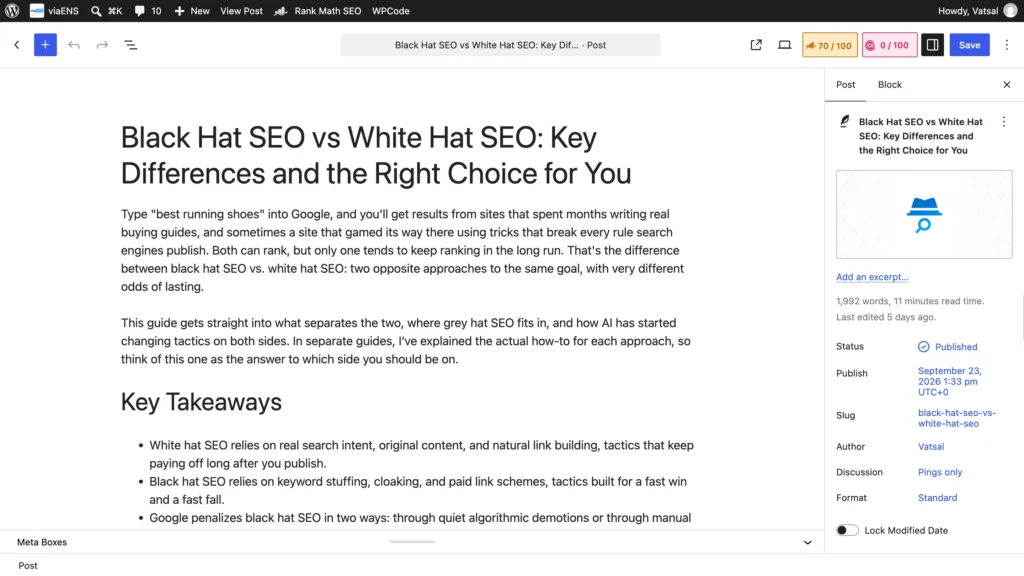
Unlike most of this list, on-page SEO doesn’t depend on algorithm luck. It’s fully within your control. Get it right on every page you publish.
28. Include your primary keyword in the URL
Backlinko’s click-through research found that URLs containing the target keyword get 45% more clicks than URLs not containing it. Keep it simple: a page for “SEO checklist” should have the exact phrase in the URL.
29. Keep URLs short, clean, and hyphenated
Session IDs, dates, and random parameters make URLs harder to read and can create duplicate content headaches. It’s best to leave them out. Stick to hyphens between words, skip underscores, and keep everything lowercase.
30. Front-load your keyword in the title tag
When it reads naturally, place your primary keyword near the front of the title tag. When it doesn’t, don’t force it. An awkward title costs more in lost clicks than it gains in placement.
31. Add title tag modifiers (Best, Guide, [Year])
A word like “Best,” “Checklist,” “Guide,” or the current year helps a title stand out in results and signals that the content is current. But use them only where they fit rather than for mere attraction.
32. Keep title tags under 60 characters
Past roughly 60 characters, Google truncates a title with an ellipsis. Staying in the 50-60 character range keeps the full title with the primary keyword visible in the results.
33. Write a click-worthy meta description
Keep it to 120-160 characters, work in the primary keyword naturally, and give searchers a reason to click. It states what they’ll actually get reading through the article. It won’t move rankings directly, but it moves click-through rate.
34. Use H1 with your primary keyword
One H1 per page, containing the primary keyword and accurately describing what the page covers. Multiple H1s leave both readers and search engines guessing at the actual topic.
35. Structure H2s/H3s as a scannable outline
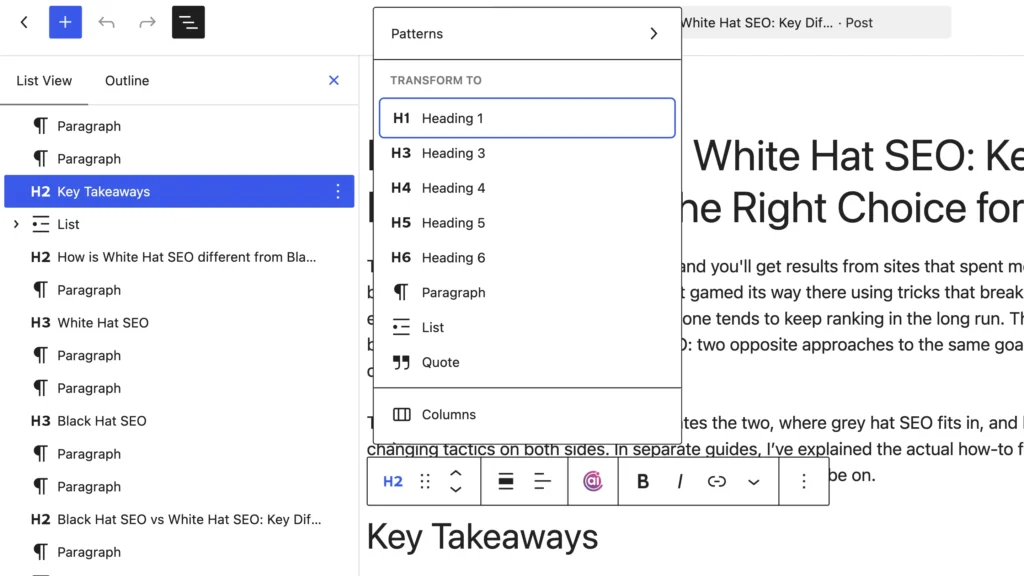
Scan only the subheadings. A reader should still understand what the page covers, without reading a single line of body text. If that test fails, the structure needs work.
36. Include your primary keyword in the first 100-150 words
Work the primary keyword in early so both readers and search engines know immediately what the page covers. It also reassures visitors they’ve landed in the right place and can keep reading.
37. Use secondary and LSI keywords naturally throughout the body
Let secondary and semantically related terms surface where they’d naturally appear in writing about the topic. They should not be crammed into every paragraph unnecessarily.
38. Avoid keyword stuffing
Repeating an identical phrase over and over reads badly to people and can trip spam filters. Write for the reader first, and keyword variation will happen on its own without engineering a density target.
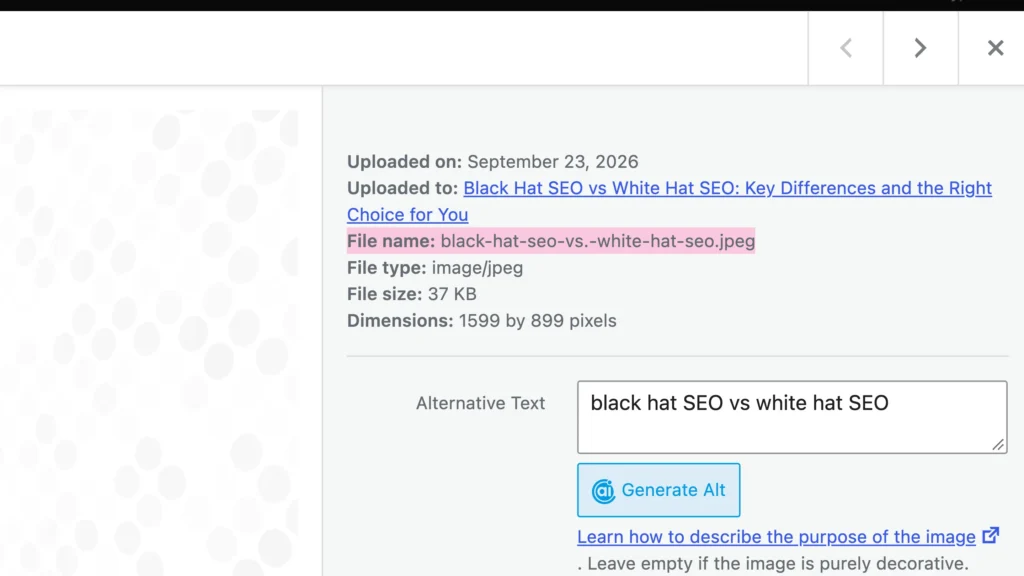
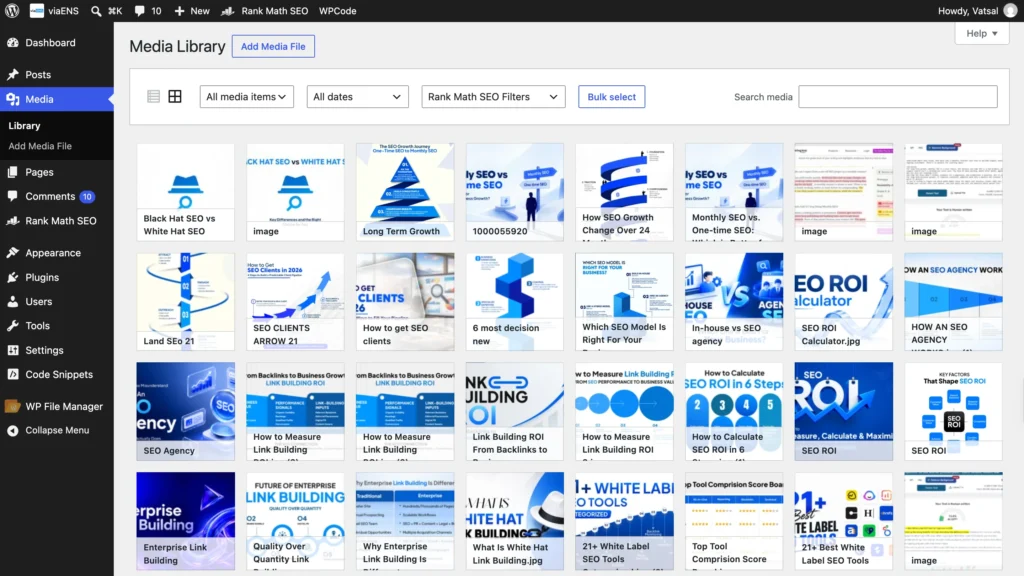
39. Use descriptive, keyword-aware image file names
Before uploading, rename the file. “IMG_4821.jpg” tells search engines nothing useful, while something like “on-page-seo-checklist.png” describes exactly what’s in the image.
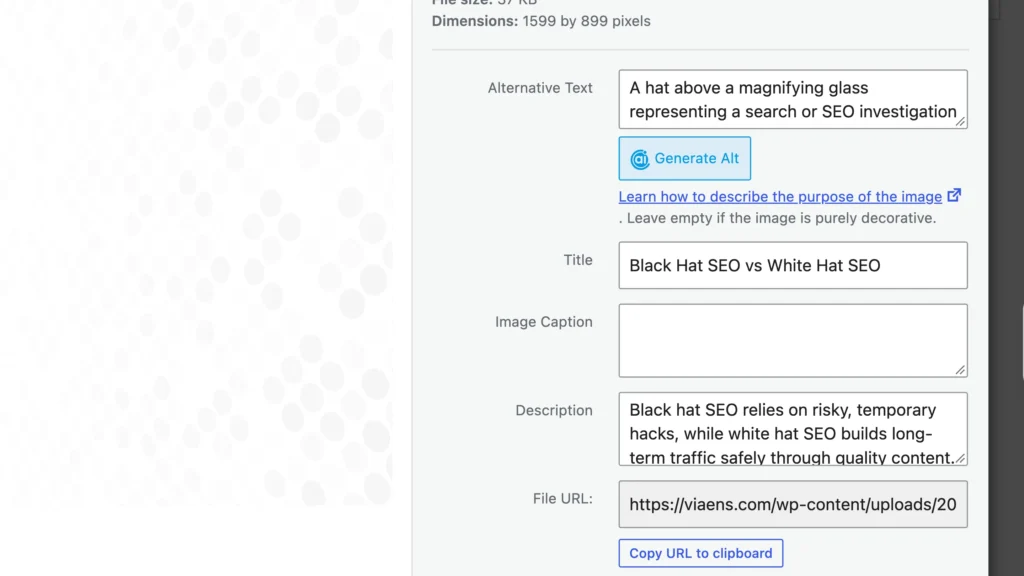
40. Write descriptive image alt text
Write alt text as a full sentence describing what’s actually in the image, working in a keyword only if it fits without forcing. It’s also what makes the image usable for screen reader visitors.
41. Add internal links to 2-5 relevant pages
Each new page should link to a few other existing pages on the site that are relevant. It helps search engines discover that content and spreads ranking authority more evenly across the domain.
42. Use descriptive internal anchor text, never “click here”
The text in an internal link should describe where it leads. Use “on-page SEO checklist,” not “click here” or “read more.” That context tells search engines what the destination page is actually about.
43. Link out to authoritative external sources
Citing a stat or referencing an idea you haven’t covered yourself? Link to a credible source. It won’t move rankings on its own, but it signals the content is well-referenced and worth trusting.
44. Add a table of contents for longer pages
Past roughly 1,500 words, a jump-link table of contents lets readers skip straight to the section they need and occasionally earns sitelinks in Google’s results too.
45. Optimize a section to win a featured snippet
Give one section a direct, tight answer to a specific question. A short paragraph, a numbered list, or a table tend to work best. That’s the shape Google most often lifts into position zero.
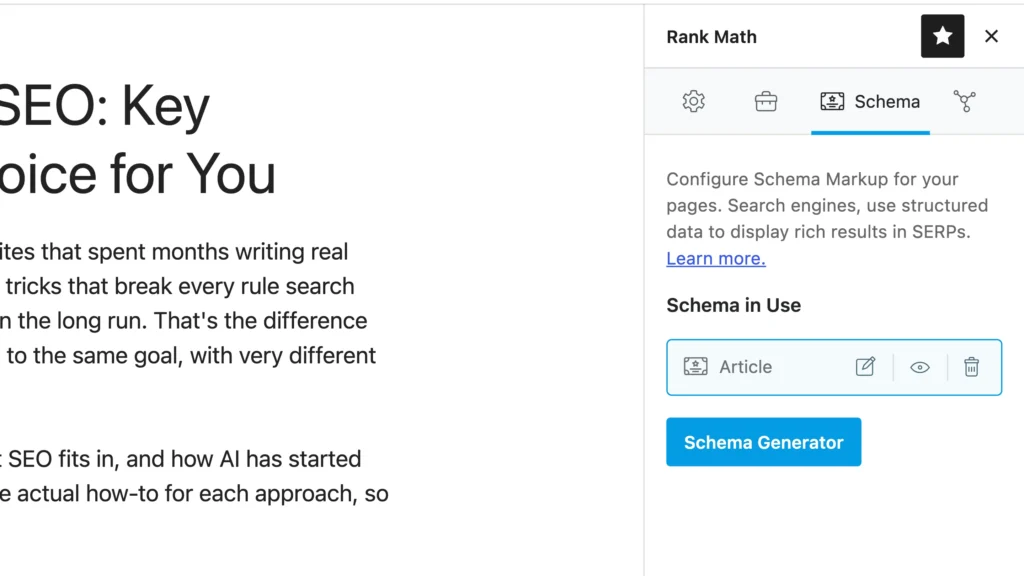
46. Implement schema markup (Article, FAQ, HowTo)
Structured data tells search engines precisely what kind of content sits on the page. FAQ and HowTo schema specifically can earn rich results right inside the search listing.
47. Set canonical tags to prevent duplicate content
If you have duplicate or near-duplicate versions of a page, add a canonical tag to the one you want to be indexed. That means gathering ranking signals on one URL instead of spreading them thin.
Technical SEO Checklist
Technical SEO rarely gets the spotlight that keywords and content do, but none of that writing matters if Google can’t crawl the site or it loads too slowly to bother waiting for.
48. Fix crawl errors flagged in Google Search Console
Check the Indexing report in Search Console for pages Google can’t reach. A robots.txt file accidentally blocking something important, or a server error stopping the crawl, needs fixing right away.
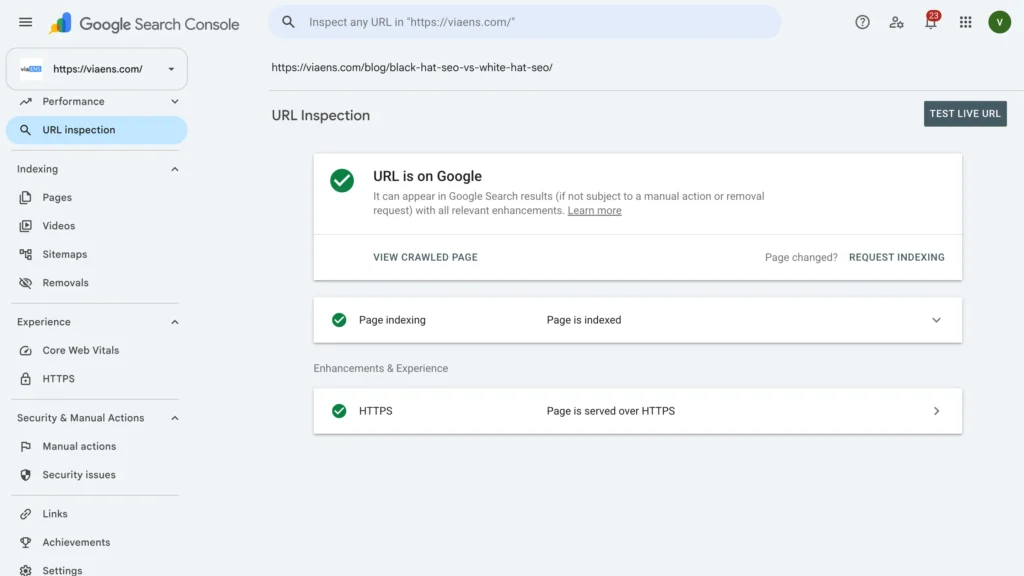
49. Check indexing status of your key pages
The URL Inspection tool shows a page exactly as Google sees it. “Indexing not allowed” typically points to a stray noindex tag; “different canonical URLs” means Google chose a version you didn’t intend.
50. Configure your robots.txt file correctly
Robots.txt tells crawlers where not to go. Make sure it isn’t quietly blocking CSS, JavaScript, or whole sections of the site you actually want showing up in search.
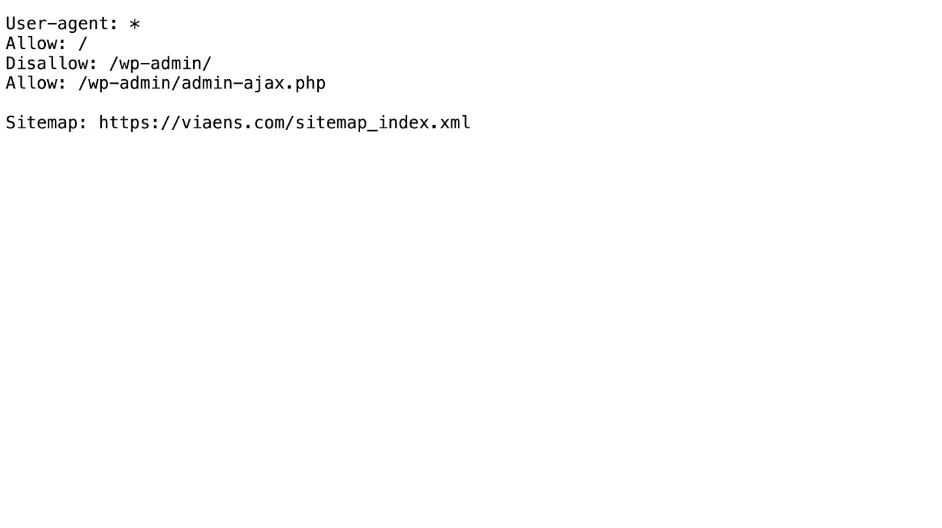
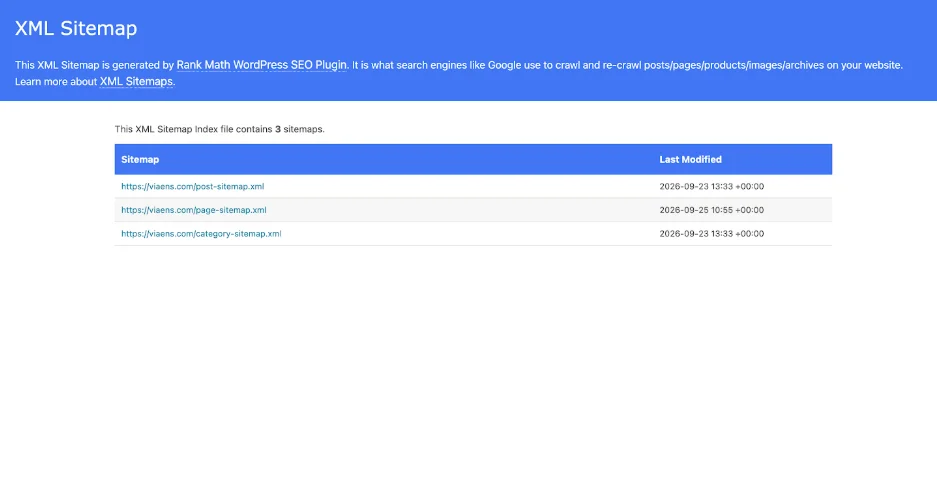
51. Create and submit an XML sitemap
Build a sitemap of your important, indexable pages and submit it through Search Console. It hands Google a direct map to your content instead of leaving discovery entirely to chance through links.
52. Confirm mobile-first indexing readiness
By default, Google indexes the mobile version of a site. Check that the mobile pages carry the same content, links, and structured data as desktop, not a stripped-down copy. Your content should be easily readable on mobile pages.
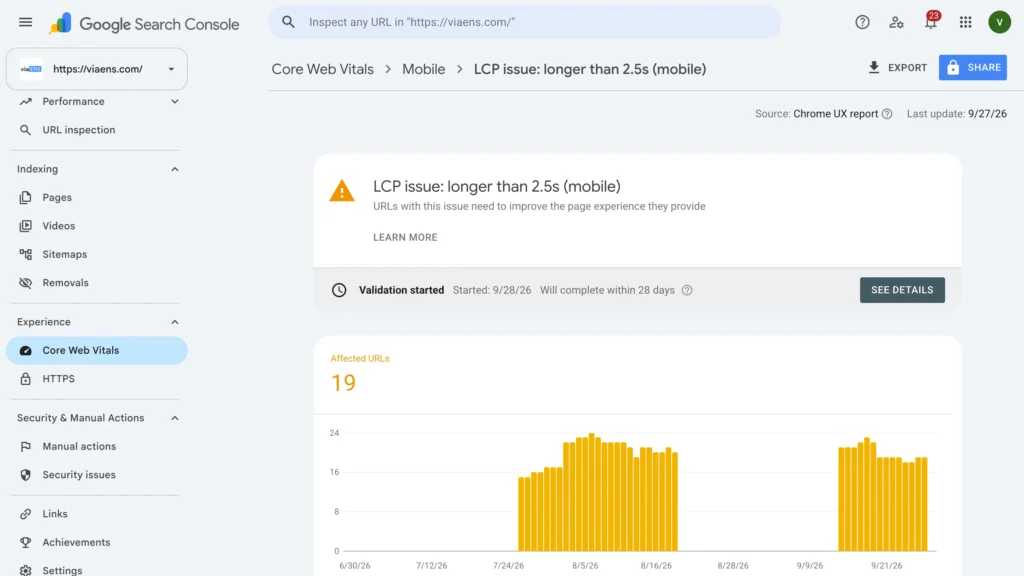
53. Improve Largest Contentful Paint (LCP)
LCP tracks how long the largest visible element takes to load, and the target is under 2.5 seconds. Compressing images, cutting server response time, and clearing render-blocking resources are the usual levers to pull.
54. Improve Interaction to Next Paint (INP)
INP measures responsiveness in terms of how fast the page reacts to a click or tap. Heavy JavaScript execution is usually the culprit; breaking long tasks into smaller ones keeps the browser responsive.
55. Reduce Cumulative Layout Shift (CLS)
CLS catches the unexpected jumps a page makes while loading. Text shifting down when an ad or image finally renders in, for instance. Setting width and height on images and embeds ahead of time prevents most of it.
56. Compress and optimize images (WebP, lazy loading)
Convert to WebP where you can, run images through a compressor like TinyPNG, and lazy-load anything below the fold so it isn’t slowing down the initial load.
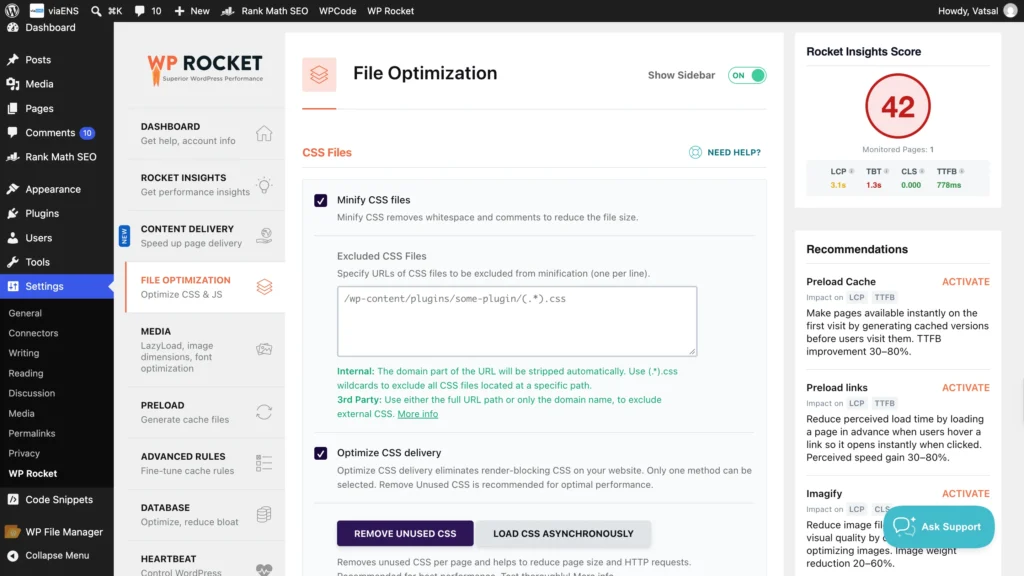
57. Minify CSS, JavaScript, and HTML
Strip out the extra characters, whitespace, and comments cluttering your code files. Most CMS platforms can automate this through a plugin or built-in setting, so it rarely means touching the code by hand.
58. Use a CDN to speed up global delivery
A CDN keeps copies of your site on servers around the world, so each visitor loads from whichever one is closest. Cloudflare and BunnyCDN are both reliable, inexpensive places to start.
59. Enable browser caching
Set the server to let returning visitors’ browsers cache your pages locally. Anyone who’s already been to the site loads it noticeably faster the second time around.
60. Reduce server response time (TTFB)
Time to First Byte ideally stays under 200ms. A server that’s consistently slower than that probably needs a hosting upgrade before any other page-level fix will make much difference.
61. Migrate to HTTPS with a valid SSL certificate
HTTPS is a confirmed ranking factor, and most hosts offer a free certificate through Let’s Encrypt now, so there’s little excuse to skip it. Just make sure HTTP traffic redirects to HTTPS with a 301, not a 302.
62. Fix mixed-content warnings
HTTPS migration doesn’t always catch everything. Third-party chat widgets or embeds sometimes keep loading over HTTP. Check the browser’s developer console for these mixed-content warnings and update the script sources directly.
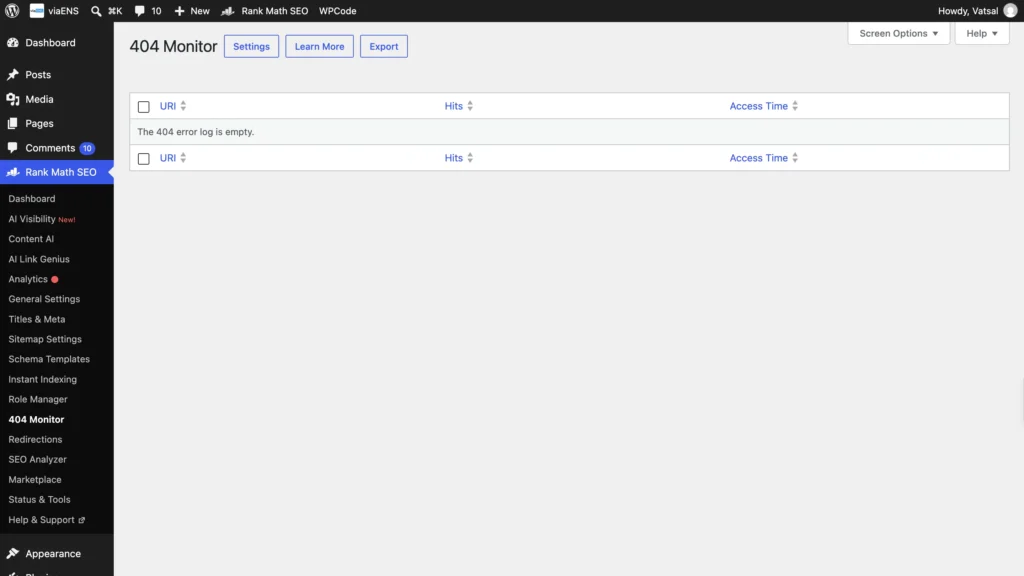
63. Audit and fix broken links (404s)
Run a crawl with something like Screaming Frog to surface broken internal and external links, then fix, redirect, or remove each one. They cost you on both user experience and crawl efficiency.
64. Implement proper 301 redirects and avoid chains
Changed a URL? Redirect the old one with a permanent 301. Skip redirect chains like A to B to C, and point straight to the final destination instead.
65. Resolve duplicate content with canonical tags
For long categories, blogs, or listing pages, use a clear paginated structure so search engines can discover deeper pages and users can move through the content easily. Keep each paginated URL crawlable and avoid creating unnecessary duplicate versions of the same page.
66. Check JavaScript rendering for crawlers
Heavy JavaScript sites need a specific check: can search engines actually render and read the content? The URL Inspection tool in Search Console shows exactly what the rendered page looks like to Google.
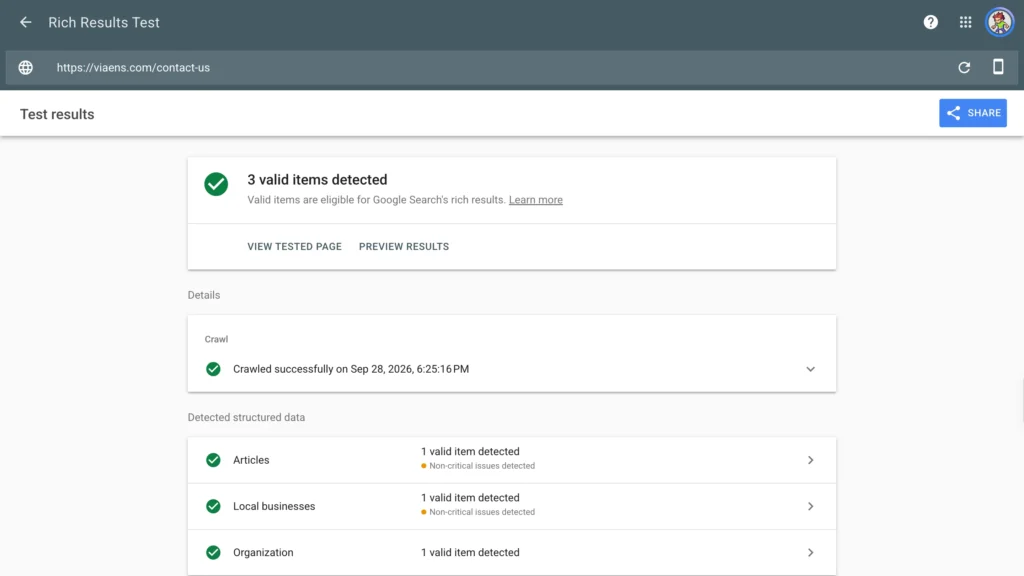
67. Validate structured data with Google’s Rich Results Test
Drop the page URL into Google’s Rich Results Test to confirm the schema markup is implemented correctly and actually eligible for enhanced results, like star ratings or FAQ dropdowns.
68. Add hreflang tags for multi-language/region sites
Sites serving multiple languages or regions need hreflang tags to tell search engines which version belongs in front of which audience. Missing or misconfigured hreflang is a frequent cause of international duplicate content problems.
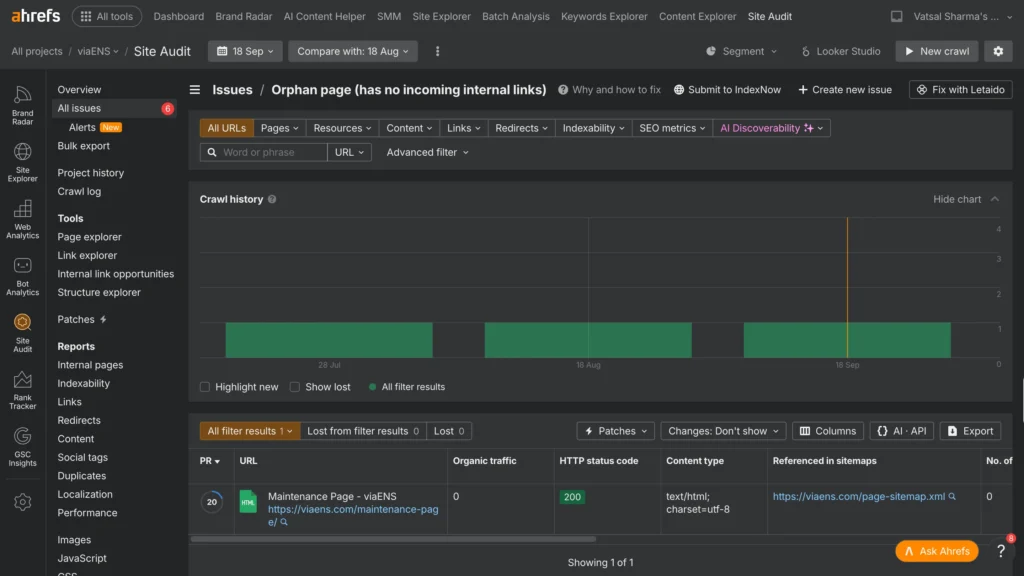
69. Find and fix orphan pages
A page with no internal links pointing to it is effectively invisible to both crawlers and users. Either add relevant internal links to it or reconsider whether it needs to stay live.
70. Design a helpful custom 404 page
A well-built 404 page makes it clear the link is dead, offers a way back to the homepage, and surfaces a few key pages which is enough to keep a visitor on the site instead of bouncing straight out.
Content Strategy & Optimization Checklist
Thorough coverage alone doesn’t cut it anymore. Both Google and AI tools now favor content that brings something the current top-ranking pages don’t already offer.
71. Match content format to search intent
“What is technical SEO” calls for a clear definition. “Technical SEO checklist” calls for a list someone can act on immediately. Build whatever format the query is actually asking for, not whatever’s easiest to write.
72. Audit top-ranking pages for information gain
Copying the H2 structure of the top-ranking posts isn’t a strategy, just a shortcut to mediocrity. Look instead for what those pages are missing and fill that cap. It can be a gap, a stale example, a lack of original data.
73. Demonstrate E-E-A-T (author bios, credentials, citations)
Real expertise shows up in specifics: a named author with relevant credentials, accurate citations, and clear signs the content comes from direct experience rather than a reworded summary of someone else’s article.
74. Benchmark content length against top-ranking competitors
Before deciding how long a page should be, check the word count of what’s currently ranking for the target keyword. Length should follow the topic and the competition, not some arbitrary word-count rule.
75. Diversify content formats (guides, listicles, case studies, FAQs)
Different formats, like a full guide, a quick listicle, a data-backed case study, an FAQ page, capture a different kind of search. Match the format to what searchers actually want at that particular stage.
76. Build pillar pages with supporting cluster content
Build one deep page per core topic, then support it with narrower articles that link back. This pillar-and-cluster structure signals the kind of topical depth search engines increasingly favor.
77. Add original data, research, or first-hand examples
A survey you ran, a test with real results, a case study with actual numbers and content grounded in original research is far harder for competitors to copy and far more likely to earn links on its own.
78. Break content into short, scannable paragraphs
Dense walls of text push readers away before they’ve even started. Keep paragraphs to two or four sentences, with real visual space between sections.
79. Use bullet points and numbered lists generously
A list is easier to scan, easier to act on, and easier for both readers and AI tools to extract a clean answer from when they’re summarizing the page.
80. Add multimedia, like images, charts, video, infographics
Visuals make content more useful and can rank on their own in image search. A relevant chart, screenshot, or short video also tends to keep visitors on the page longer.
81. Add an FAQ section for common questions
A dedicated FAQ section answering the real questions people ask about the topic, paired with FAQ schema, gives you a legitimate shot at both featured snippets and AI citations.
82. Interlink cluster content back to the pillar page
Cluster articles should link back to the pillar page, and the pillar should link out to each cluster piece in turn. That two-way linking reinforces the topical relationship for search engines.
83. Set a refresh schedule for evergreen content
Put your highest-traffic evergreen pages on a recurring schedule. It can be quarterly or annual. Refresh stats, examples, and recommendations as per this schedule.
84. Identify and update or rewrite outdated posts
An old, underperforming post is frequently a faster win than a brand-new one. Sort the update into a small tweak, a moderate refresh, or a full rewrite, depending on how much has genuinely changed since it was published.
85. Prune or consolidate thin, low-value pages
A page with zero traffic and no real value drags down overall site quality. Merge it into something stronger or take it down, rather than leaving it indexed and ignored.
86. Check for internal keyword cannibalization
Two pages chasing the same keyword end up competing with each other instead of with Google, splitting ranking signals in the process. Either merge them or make the intent behind each one clearly distinct.
87. Proofread and fact-check before publishing
Typos and factual errors quietly undercut the expertise signals a page is trying to build. Someone other than the writer (an editor) can catch mistakes that are too close to see.
88. Add clear calls-to-action where relevant
Give readers something to do after they’re done reading. A newsletter, subscribe, download, get in touch, or read a related article section improves your overall impression. A page that ends with no direction wastes the attention it just spent the whole piece earning.
89. Maintain a consistent brand voice and tone
Trust builds through consistency, and that’s as true for readers as it is for AI tools now summarizing brands. Content that swings wildly in tone makes a brand harder to recognize as one coherent, credible source.
90. Get expert or peer review before publishing
On specialized topics especially, get someone with genuine subject-matter knowledge to review the draft before it goes live. It’s one of the most direct ways to actually demonstrate the expertise E-E-A-T asks for.
Mobile Optimization & User Experience Checklist
Google indexes mobile, not desktop, and odds are most of the traffic is arriving on a phone regardless. Test everything in this section on an actual device. A resized browser window isn’t a substitute.
91. Confirm your site is mobile-friendly
Run key pages through Google’s Mobile-Friendly Test. A failing page takes a direct hit on mobile rankings, and mobile is where most searches happen now.
92. Use responsive design with flexible layouts
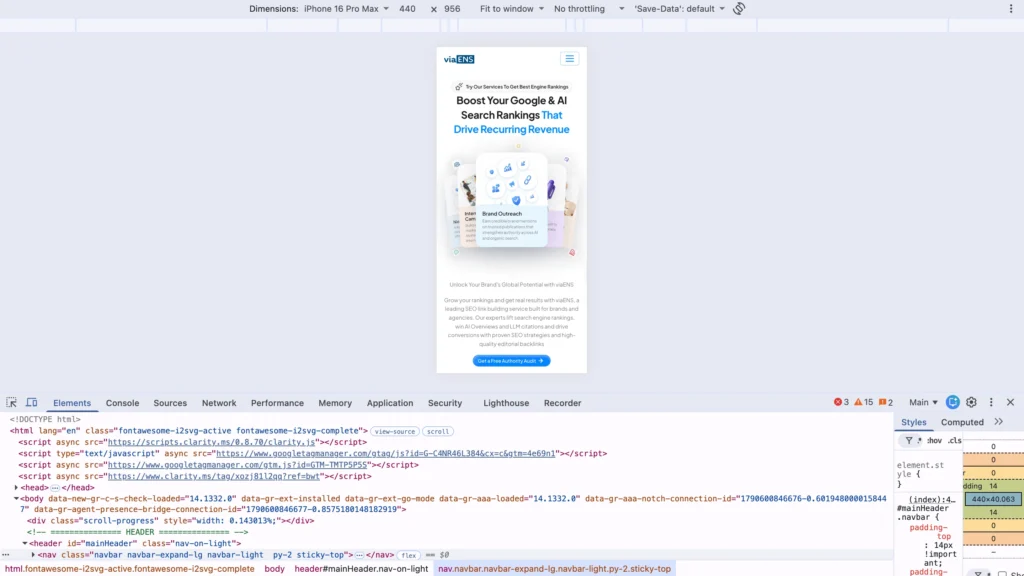
Relative units like percentages let a layout adapt smoothly across screen sizes, unlike fixed pixel widths that tend to break at specific breakpoints.
93. Add the viewport meta tag
One line of HTML tells the browser how to scale the page across devices. Skip it and mobile browsers tend to render a shrunken desktop layout instead of a proper mobile one.
94. Use a minimum 16px font size for mobile body text
Text smaller than 16px forces visitors into pinching and zooming, which drives people off a page fast. 16px is the accepted floor for readable body copy on a phone.
95. Make tap targets at least 44×44 pixels
Anything smaller than 44×44 pixels is hard to tap accurately on a touchscreen, which means mis-taps and frustration. Give every clickable element some breathing room around it as well.
96. Eliminate horizontal scrolling on mobile
Sideways scrolling means something in the layout is wider than the viewport. Check page width against common mobile breakpoints to catch it.
97. Simplify mobile navigation menus
A desktop mega menu almost never translates well to a small screen. A clean hamburger menu, or simplified navigation surfacing only the most important pages, works better without overwhelming the visitor.
98. Avoid intrusive pop-ups and interstitials
A full-screen pop-up blocking content the instant a page loads frustrates visitors and can trigger a Google mobile penalty. Smaller, easily dismissed prompts, timed to appear later in the visit, work better.
99. Test forms and checkout flows on mobile devices
Fill out the contact form and go through checkout on an actual phone, yourself. Tiny fields, dropdowns that fight with touch input, or a broken payment step all quietly cost conversions.
100. Keep important content above the fold
The core message and primary call-to-action should be visible without scrolling. A giant hero image or slider shouldn’t bury the actual point of the page.
101. Limit clicks-to-content to 2-3 from the homepage
A page buried five or six clicks deep is hard for both users and search engines to find. Keep the most valuable content within two or three clicks of the homepage instead.
102. Add breadcrumb navigation
Breadcrumbs show visitors exactly where they sit in the site structure and give them an easy way back up. They also help search engines read the hierarchy.
103. Add on-site search for larger websites
Past a handful of pages, visitors expect to search a site directly rather than dig through menus. Just make sure whatever they find actually matches what they typed.
104. Monitor bounce rate and engagement metrics
A high bounce rate or short time-on-page often points to a mismatch between what searchers expected and what they got. Investigate the outliers rather than writing off the traffic as low quality by default.
105. Test across real devices and browsers
Emulators catch most problems, but real iOS and Android devices, across Safari and Chrome, surface rendering bugs that simulators sometimes miss completely.
Link Building Checklist (Off-Page SEO)
Even with AI search reshaping how people find things, links remain one of the clearest authority signals a site can earn. They’re also the hardest item on this entire list to fake convincingly, which is exactly why they still carry weight.
106. Audit your current backlink profile
Pull a full backlink report through Semrush, Ahrefs, or a similar tool first. Without that baseline, there’s no real way to tell later whether link building efforts are paying off.
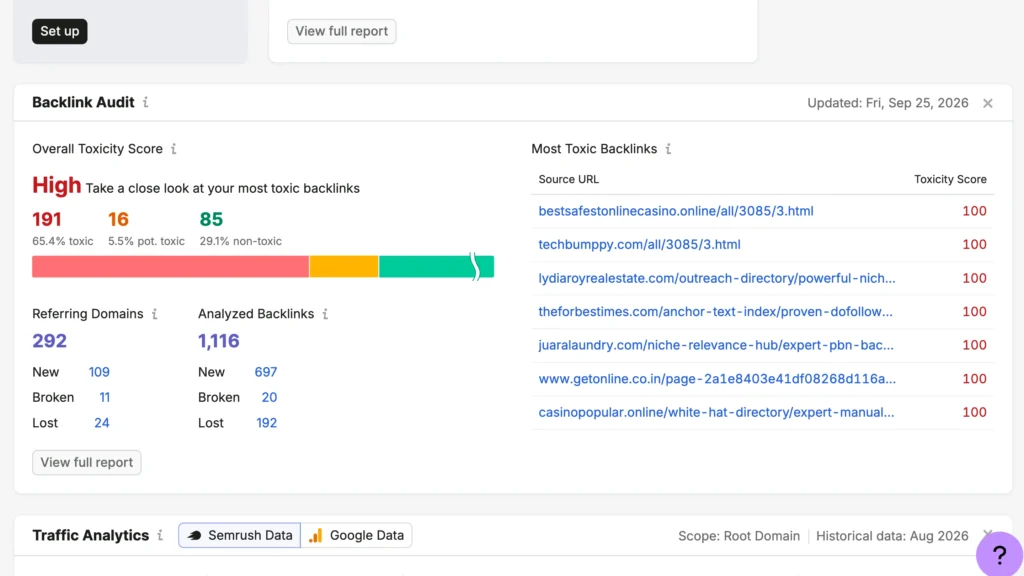
107. Reverse-engineer competitor backlinks
Run competitor URLs through a backlink tool and look for patterns like roundup posts, podcast guest spots, resource page listings that are realistic to replicate on your own.
108. Create linkable assets with original research and data studies
Original research, a survey, or an industry study is the content type most likely to earn organic links on its own. One strong, data-driven piece can outperform dozens of smaller articles when it comes to link acquisition.
109. Pursue digital PR and journalist outreach (HARO, Featured)
Platforms like Featured and MentionMatch connect journalists hunting for sources with subject-matter experts willing to talk. Respond to relevant requests, and the exchange is straightforward, genuine expertise for a link and a mention.
110. Write guest posts for relevant, authoritative sites
Contribute original, useful content to established publications in the niche, and favor sites with a real, engaged audience over ones that exist mainly to sell guest post slots.
111. Build links through broken-link building
Ahrefs or a similar tool can surface broken links on relevant sites; reach out and offer your own content as the working replacement. It’s a small ask, and the site owner gets genuine value out of it too.
112. Get listed on relevant resource and roundup pages
A search for “[your topic] resources” or “[your topic] roundup” surfaces pages already listing tools or content like yours. Pitch your own page for inclusion on those.
113. Reclaim unlinked brand mentions
Find mentions of the brand name that don’t link back, and simply ask the author to add one. It’s often one of the fastest, easiest wins on this whole list.
114. Become a podcast guest for niche backlinks
Show notes almost always link back to guests. That makes podcast appearances a natural way to earn a backlink alongside an engaged, targeted audience who just heard you speak directly.
115. Mention and notify influencers in your content
Reference an influential person or brand in the content, then let them know. People frequently share content that mentions them, and some will link back from their own site as a result.
116. Diversify anchor text naturally
Vary the anchor text pointing at your pages: brand name, naked URL, partial match, exact match. Repetitive exact-match anchor text, over and over, is a known red flag for manipulative link building.
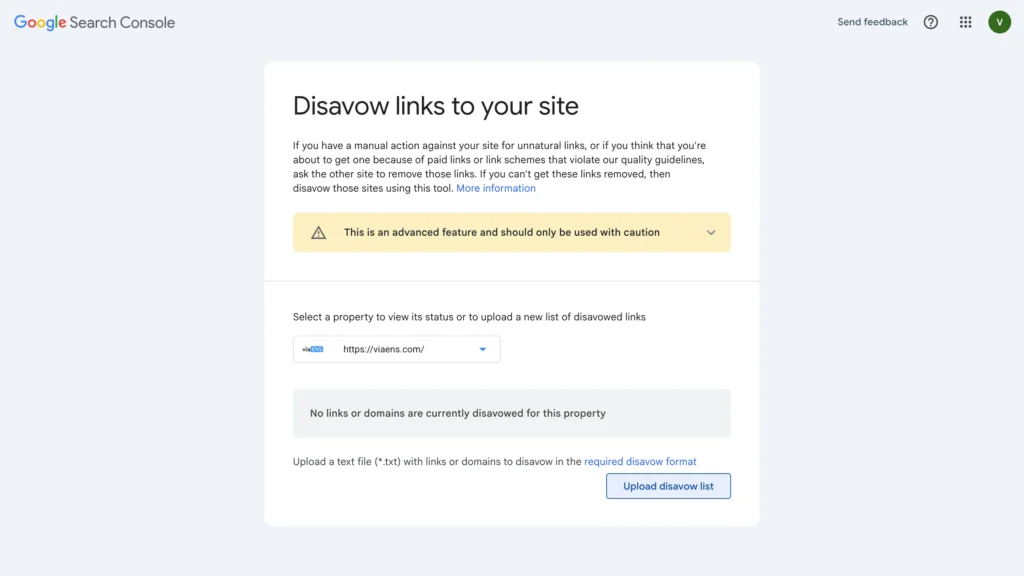
117. Disavow toxic or spammy backlinks
Obviously, spammy backlinks from link farms or clearly unrelated sites can be disavowed through Google’s disavow tool, telling Google not to count them toward the site’s profile.
118. Build relationships with industry publications
Editors and writers in the space are worth building real relationships with over time. It pays off in future mentions, faster responses to pitches, and a warmer reception when there’s genuinely something worth covering.
119. Promote content on social channels for visibility
Social shares don’t move rankings directly, but they put content in front of people who might link to it later from their own site, blog, or newsletter.
120. Track new and lost referring domains over time
Check the backlink profile monthly for domains gained and lost. A sudden drop can point to a technical issue on either end or a penalty hitting a domain that used to link in.
Local SEO Checklist
Businesses serving a specific area get access to the map pack and local finder results through local SEO alone.
121. Claim and verify your Google Business Profile
This free listing is the actual foundation of local visibility. Hours, categories, services, and description should be filled out completely and accurately.
122. Choose accurate primary/secondary GBP categories
Pick the single most specific primary category available, then add relevant secondary ones on top. A vague or overly broad category choice hurts the odds of showing up in relevant local searches at all.
123. Keep NAP (Name, Address, Phone) consistent everywhere
Name, address, and phone number need to match exactly across the website, Google Business Profile, and every directory listing. Small inconsistencies quietly erode the trust signal citations are supposed to build.
124. Build citations on major local directories
Get listed on relevant directories like Yelp, industry-specific sites, the local chamber of commerce. Consistent citations across the web reinforce the business as a legitimate, established local presence.
125. Collect and respond to customer reviews
Ask satisfied customers directly for reviews, and respond to all of them, good and bad alike. Both review volume and recency factor into local ranking, and responses signal an actively managed business.
126. Add location-specific landing pages
Multiple service areas call for a dedicated page each, not one generic “service areas” catch-all. Real local landmarks and service specifics for that area matter more than just swapping in a city name.
127. Add LocalBusiness schema markup
LocalBusiness schema includes address, hours, phone number in structured form. This helps search engines surface accurate business details directly in results and local packs.
128. Post regular updates via Google Business Profile
Google Business Profile posts let a business share offers, events, or news directly on the listing. Regular posting itself signals an active, well-maintained profile.
129. Build local backlinks and community partnerships
A link from a local news site, chamber of commerce, or community organization carries real relevance weight for local search. Sponsorships and local events are a natural way to earn them.
130. Publish locally-relevant content and news
Content covering community events, local news, or area-specific guides demonstrates genuine local relevance and creates natural opportunities to mention neighborhood and city names throughout the site.
E-commerce SEO Checklist
Every product and category page is a ranking opportunity, and usually a revenue opportunity too. Hence, e-commerce SEO and the bottom line are directly linked.
131. Write unique product descriptions (skip manufacturer copy)
Manufacturer descriptions show up on dozens of competing sites verbatim, creating duplicate content across the entire web. Writing original copy is more work, but it’s often the actual difference between ranking and not.
132. Add product schema (price, availability, ratings)
Product schema lets a listing display price, stock status, and star ratings right in the search results, which tends to pull a better click-through rate than a plain blue link ever does.
133. Optimize category pages with unique descriptions
150 to 300 words of useful content above or below the product grid gives a category page real substance. These pages often carry strong commercial intent and ranking potential in their own right.
134. Handle out-of-stock products with redirects or alternatives
A dead product page shouldn’t just sit there indefinitely. Redirect it to a close alternative, or keep it live with clear messaging and links to similar products still in stock.
135. Enable and encourage customer reviews on product pages
Reviews bring unique, constantly refreshed content to a product page, and they build exactly the trust signals both shoppers and search engines respond to.
136. Optimize product images (alt text, compression, zoom)
Descriptive alt text and file names, compression that doesn’t visibly hurt quality, and a working zoom feature, all matter. Image search is an important traffic source for product pages.
137. Make faceted navigation and filters SEO-friendly
Filters that spin off endless URL combinations can turn into a massive duplicate content problem fast. Canonical tags or noindex rules keep control over which filtered pages actually get indexed.
138. Segment XML sitemaps by product category
Large catalogs are better served splitting the sitemap by category instead of submitting one giant file. It makes crawling more efficient and much easier to diagnose when something breaks.
139. Optimize your internal site search
On-site search should generate clean, indexable URLs and return results that actually match what shoppers typed in. A frustrating internal search just sends them straight back to Google to try again.
140. Streamline the mobile checkout experience
A clunky mobile checkout won’t hurt SEO directly, but it tanks the conversion rate that justifies chasing the traffic in the first place. Run through the full purchase flow on a phone regularly to catch it.
AI SEO & Answer Engine Optimization Checklist
A meaningful chunk of searches now happens inside ChatGPT, Perplexity, or Google’s AI Overviews instead of a traditional results page. And ranking well in Google does not necessarily guarantee showing up when someone asks an AI tool the same thing.
141. Identify which AI tools your audience uses (ChatGPT, Perplexity, AI Overviews, Gemini)
There’s no need to chase every AI platform at once. Talk to sales and support, look through customer surveys, and search the industry plus “ChatGPT” on Reddit to see which tools actually come up.
142. Check robots.txt allows AI crawlers (OAI-SearchBot, ClaudeBot, PerplexityBot)
A quick visit to yoursite.com/robots.txt shows whether AI retrieval bots are blocked. This can sometimes happen by pure accident. If they are, no amount of strong content gets you into those tools.
143. Structure key pages as clear, quotable “answer hubs”
Open key pages with a direct, plain-language answer to a specific question, then handle subquestions with scannable subheadings underneath. This is precisely the shape AI tools tend to pull from and quote.
144. Add FAQ/HowTo schema to help AI tools parse answers
Structured data also gives AI tools a clean, unambiguous signal about exactly which text answers which question on the page.
145. Benchmark your brand’s current AI visibility with real prompts
Write out the real questions customers would type into an AI tool about the category, run them, and note whether the brand or its content shows up anywhere in the answer.
146. Build Topical/Entity Authority for LLM Recognition & llms.txt
You can also create an llms.txt file to provide AI systems with a concise guide to the site’s key content and resources. Treat it as a supporting file, not a replacement for crawlable content, internal linking, or robots.txt controls. The format and adoption of llms.txt are still evolving, so keep the file accurate and review whether the AI platforms you care about actually use it.
147. Use concise definitions and scannable tables for easy extraction
AI tools gravitate toward content that’s easy to lift cleanly. You need to have a tight definition, a comparison table, and a short bulleted list. Dense, unstructured paragraphs are much harder for a model to quote accurately from.
148. Monitor which sources AI tools cite in your niche
While testing prompts, keep track of which domains keep showing up as citations. Those recurring sources reveal where AI tools already trust information and where a brand should aim to appear next.
149. Track AI-referral traffic in analytics
A GA4 segment for traffic arriving from chatgpt.com, perplexity.ai, and similar referrers is worth setting up now. It’s still a small source, but a growing one worth tracking apart from regular organic search.
150. Refresh AI-cited pages regularly to stay accurate
A page that starts getting cited by AI tools needs to stay current. Outdated information still being quoted around actively works against the brand’s credibility, not for it.
Common SEO Mistakes to Avoid
- Keyword stuffing: an exact phrase repeated over and over rarely helps rankings anymore, and it can actively hurt them.++-+
- Thin content: a page with a couple hundred words and no real depth rarely satisfies search intent or holds a ranking for long.
- Duplicate content: near-identical pages split ranking signals that one strong page could have held onto instead.
- Ignoring mobile: a broken or hard-to-read mobile experience directly caps how well a page can rank, since mobile is what Google indexes first.
- Weak internal linking: a page nobody links to internally gets discovered slowly, if at all, and ranks worse because of it.
- Buying links: manipulative link schemes break search engine guidelines outright and can trigger a manual penalty that’s brutal to recover from.
- Ignoring search intent: content built for the wrong intent won’t rank, no matter how well it’s written or optimized otherwise.
- Skipping schema markup: passing on structured data means giving up rich results and AI-tool visibility for free, essentially.
- Slow site speed: every extra second of load time raises the odds a visitor bails before the page even finishes rendering.
- Ignoring AI search visibility: optimizing purely for blue links while a real, growing share of searches now happen inside AI tools instead.
Your 30/60/90-Day SEO Action Plan
Looking at all 160 items at once can be overwhelming. Here’s a more practical order to actually work through them.
First 30 Days: Foundations
Get the tracking tools running (1-12), do initial keyword research (13-27). Then fix whatever’s actively broken, like crawl errors, broken links, missing HTTPS, obvious on-page gaps (28-70). The fastest, most visible wins tend to live right here.
Days 31-60: Content and Authority
From here, shift toward content and authority. Audit and improve the highest-traffic pages (71-90), clean up mobile and UX problems (91-105), and start earning links through digital PR, guest posts, and linkable assets (106-120).
Day 90 and Beyond: Expansion and Maintenance
Layer in local or e-commerce SEO where relevant (121-140), start building out AI search visibility (141-150), and put the analytics and audit habits from the final section (151-160) on a recurring calendar. SEO doesn’t really have a finish line. This stage is where it turns into routine instead of a project.
FAQ
How long does SEO take to work?
Meaningful movement typically shows up somewhere in the 4-6 month range, longer for more competitive keywords. Technical and on-page fixes tend to show results faster than content and link building, which compound more slowly over time.
How often should I update my SEO checklist?
The technical and analytics sections are worth a quarterly revisit, and content plus AI SEO roughly every six months. Both search behavior and AI platforms are shifting really fast.
What’s the difference between on-page and technical SEO?
On-page SEO is what’s visible or embedded directly in the content. This includes titles, headings, keywords, and internal links. Technical SEO is the infrastructure underneath, like crawlability, speed, indexing, structured data, etc. This decides whether search engines can even reach that content in the first place.
Do I need to hire an SEO agency, or can I do this myself?
Most of this is doable in-house, given enough time and attention to detail. Competitive link building and large technical migrations are areas where agencies tend to earn their fee. These areas are harder to scale.
How many keywords should one page target?
One primary keyword, plus two to four closely related secondary ones. A single page chasing a dozen unrelated terms usually ends up not ranking well for any of them.
Is AI search replacing traditional SEO?
Not replacing it so much as running alongside it. Google Search still drives most of the search traffic for most sites, but AI tools are a real, growing source worth building for on their own terms.